






































Use Cases
Ensure every high-stakes deck is accurate, consistent, and client-ready.
Build and audit models, create charts instantly, and update linked data, faster.
Prevent off-brand deliverables before they’re created and verify before sharing.
Ensure teams create on-brand, high-quality content – in Microsoft 365.
Industries
Win more mandates with faster, flawless due diligence, valuations and more.
Execute deals faster, manage portfolios efficiently and showcase your brand.
Deliver investment-grade materials that win and retain investors.
Prepare, update and review pitchbooks and IMs faster with built-in AI.
Teams
Standardize and automate pitchbook, IMs, and investor material creation.
No more brand policing. Empower teams to create consistent, on-brand content.
Take the scramble out of reporting with automated data, modeling, and AI reviews.
Secure, scalable enterprise AI for finance with fast, seamless rollout.
Webinar: Transforming Due Diligence Review with AI
Discover how UpSlide AI can boost consistency and confidence, and cut review times in half.
Top features
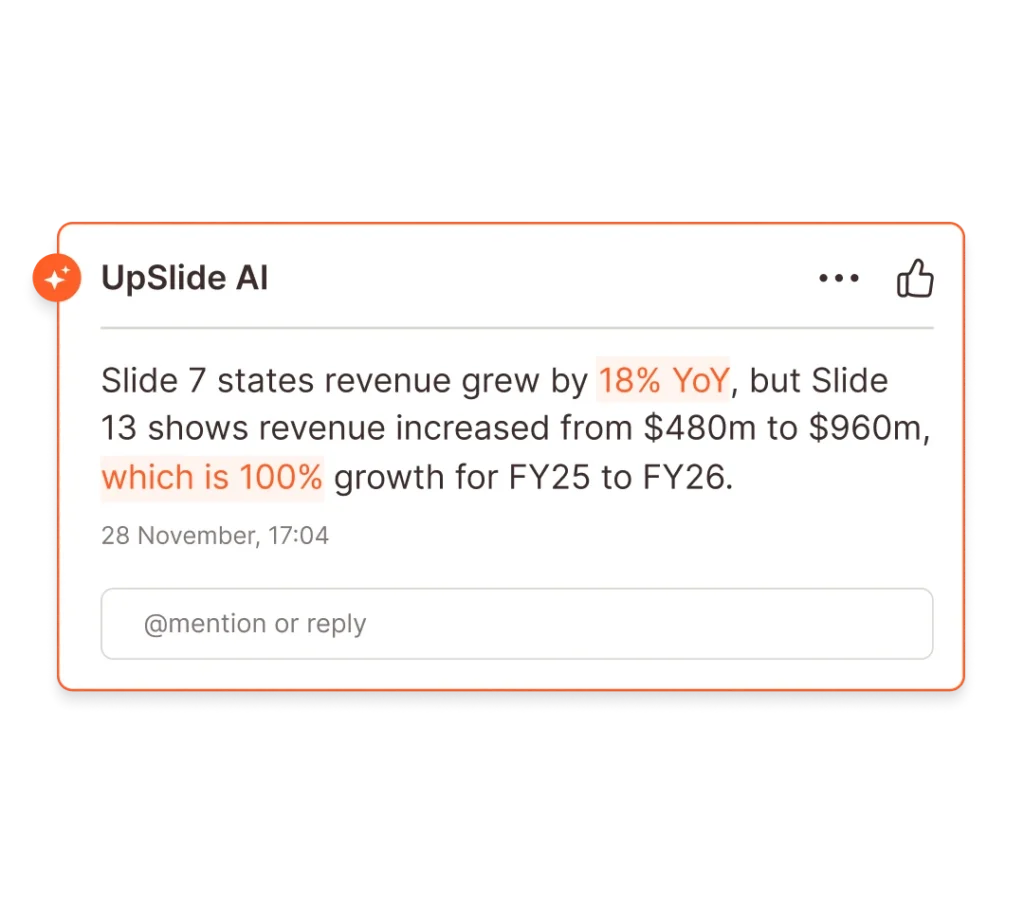
Airtight Reviews for Every Deck
Stress-test numbers and narrative with AI-powered review for complex finance deliverables.
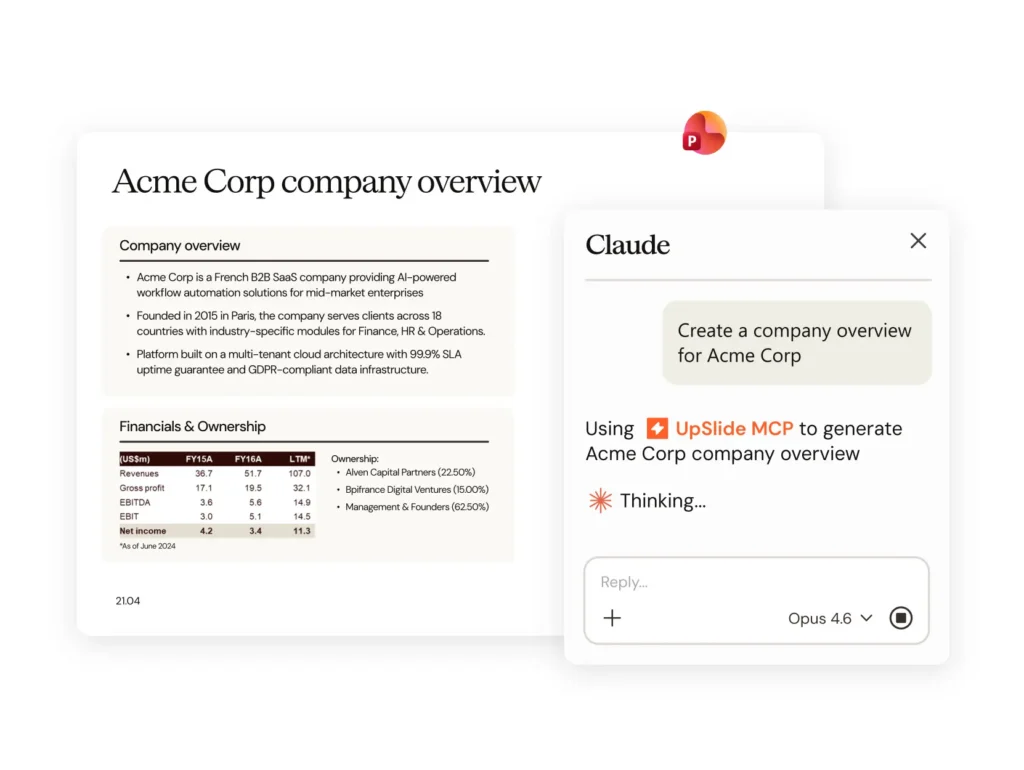
AI Alone Won’t Build Your Pitch. Here’s What Will.
The gap between an AI-generated draft and a client-ready pitchbook is bigger than you think. A document production layer is what closes it.
our company
There are 165+ UpSliders delivering excellent service to all our clients.
Get in touch and our team will be happy to answer all your questions.
Leading financial services firms trust UpSlide with their most sensitive workflows.
Helping our people and clients work more sustainably in a world reshaped by AI.

From A to B Corp: UpSlide’s Mission for Positive Impact
Discover how we achieved our B Corp Certification.
Helping finance firms build, refine and verify high-stakes deliverables in Microsoft 365 – with built-in accuracy, compliance, and consistency.
UpSlide’s hybrid AI model applies deterministic workflows where accuracy is non-negotiable, and AI where speed and flexibility are the priority.
Deeply embedded in critical M365 finance workflows, UpSlide produces fast, repeatable, actionable outputs – no reconciling, reformatting, or annoying workarounds.
UpSlide and UpSlide MCP handle mechanical tasks at fixed cost – so whether you’re using an AI assistant or not, your tokens go where they’re needed most.
As many errors spotted as generic AI tools, twice as fast
UpSlide’s hybrid AI model applies deterministic workflows where accuracy is non-negotiable, and AI where speed and flexibility are the priority.
Deeply embedded in critical M365 finance workflows, UpSlide produces fast, repeatable, actionable outputs – no reconciling, reformatting, or annoying workarounds.
UpSlide and UpSlide MCP handle mechanical tasks at fixed cost – so whether you’re using an AI assistant or not, your tokens go where they’re needed most.
Quality assurance and Reviewing
Reduce rework and cut deck review time in half, whilst ensuring your data – and your narrative – stand up to scrutiny.
data modeling and linking
Create and connect complex Excel models and charts to your PowerPoint deck with an unbreakable link. Even the heaviest decks are updated within seconds.
Brand compliance
Embed your brand guidelines across Microsoft 365 to keep every deliverables consistent. Create the perfect pitch, even on the tightest deadline.
Content enablement
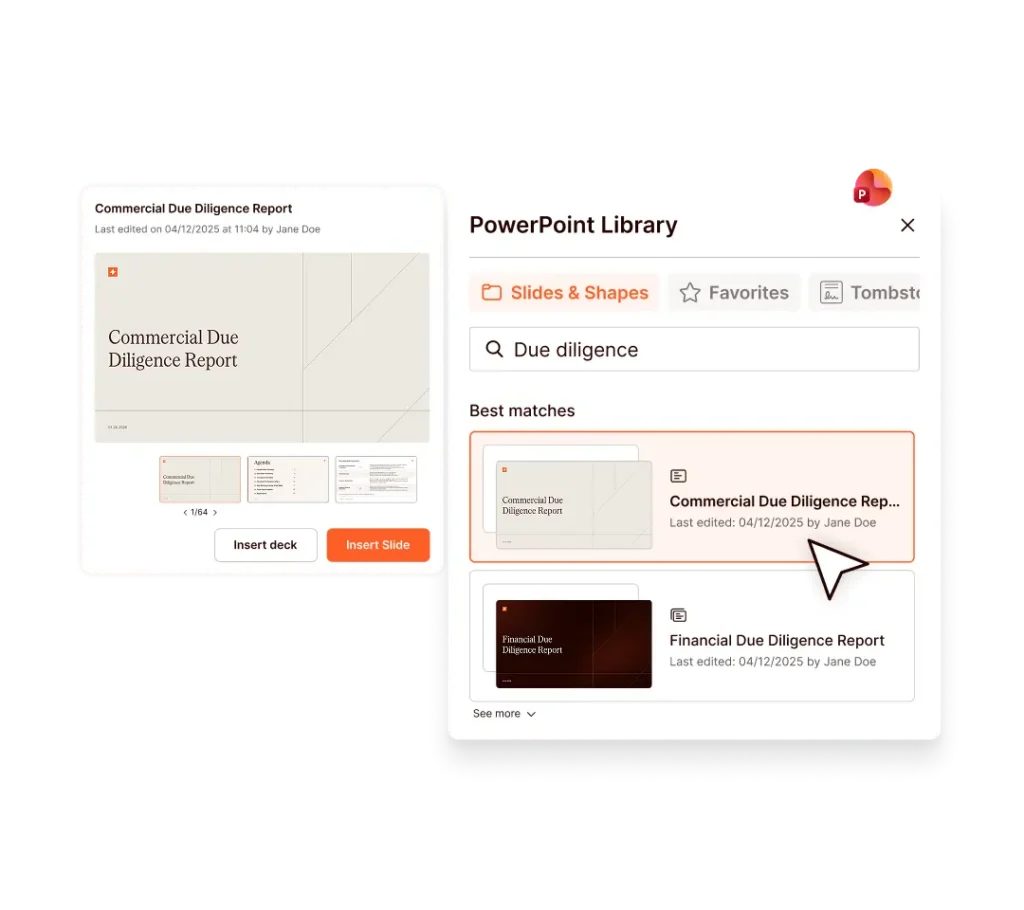
Make top-tier slides, content and tombstones accessible in seconds from PowerPoint. Teams spend less time finding content and more time perfecting the narrative.
Reviewing and quality assurance
Reduce rework and cut deck review time in half, whilst ensuring your data – and your narrative – stand up to scrutiny.
data modeling and linking
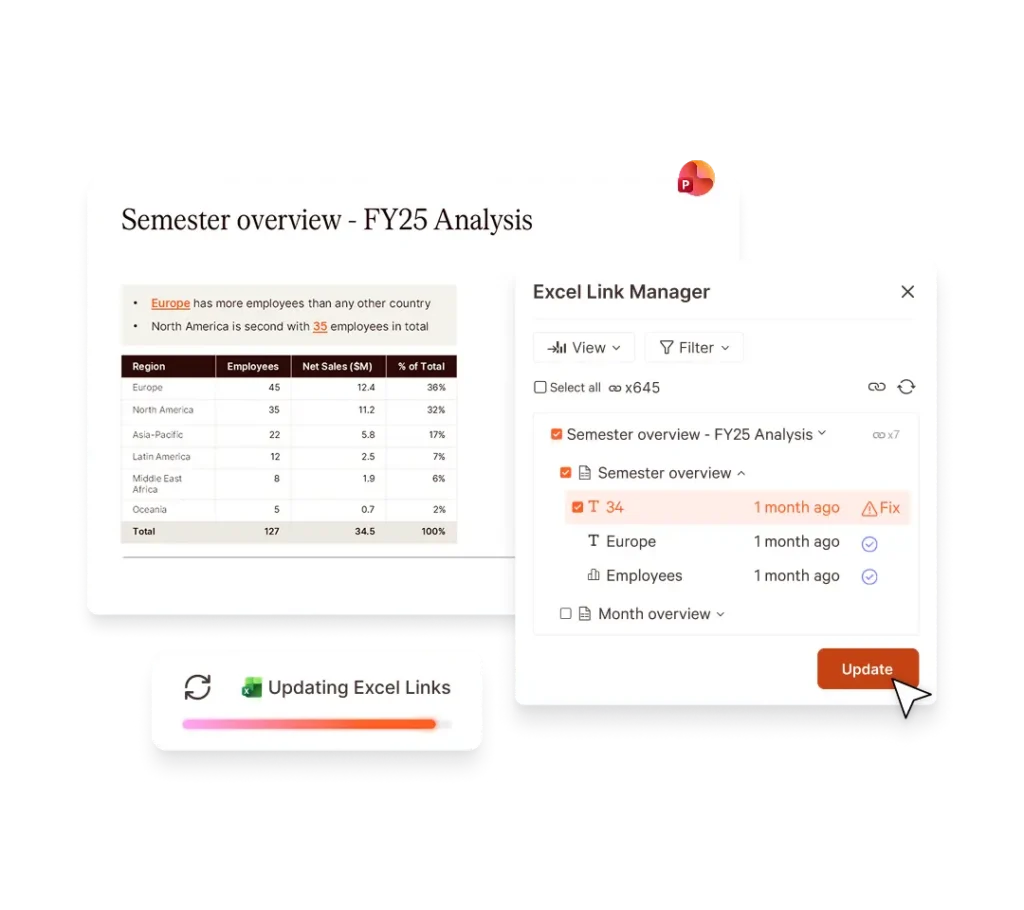
Create and connect complex Excel models and charts to your PowerPoint deck with an unbreakable link. Even the heaviest decks are updated within seconds.
Brand compliance
Embed your brand guidelines across Microsoft 365 to keep every deliverables consistent. Create the perfect pitch, even on the tightest deadline.
Content enablement
Make top-tier slides, content and tombstones accessible in seconds from PowerPoint. Teams spend less time finding content and more time perfecting the narrative.
Andrew D. Eginton
Senior Associate,
KPMG via G2
We’ve cut the time spent on pitch creation by up to 75% by using UpSlide. Before UpSlide, we would spent two hours creating an initial pitch. Now, we can create a highly-customized pitch in 30 minutes or less.
Benton Stuart,
Director,
Meridian Capital
UpSlide is a great tool to improve efficiency and present professional deliverables. Its intuitive design makes it easy to adopt and consistenly effetive. UpSlide sets a high bar with their deep commitment to client success and top-notch service quality.
Leandro Muñoz,
Transaction Services
Director,
Riveron via G2
UpSlide has streamlined our daily actions in Microsoft 365. Whether it be making sure content is consistent or increasing productivity, there’s a lot that UpSlide can be thanked for.
Vice President,
Greenhill
This is the best all-in-one tool on the market for increasing productivity and enabling bankers to produce higher quality presentaitons more efficiently.
Claus Hansen-Damm,
COO,
BDA Partners
The efficiency gains will not only benefit our clients, but they will unlock energy and potential for creative thinking. This is much more fulfilling for our bankers, who are developing new skills and being more productive with their time.
Muge Mentes,
Head of CEEMEA
Debt Origination,
UniCredit
75%
Average reduction in pitchbook creation time
15+
Years supporting finance firms
18k
Using approved templates at Big 4 firms
Client and Deal Teams
No more rework: UpSlide keep data accurate, branding tight and review quick. Teams spend more time on analysis and winning deals.
Marketing and Communications
Give every team a governed Content Library and automated checks that fix issues before send. Less policing, more brand-building.
Finance and reporting
Simplify monthly, quarterly, and year-end reporting with automatic data updates, built-in modeling tools, consistent formatting, and AI-powered reviews.
IT and Operations
UpSlide integrates directly with Microsoft 365, making it easy for IT and Operations teams to deploy, govern, and scale secure document workflows across the firm.
Our in-house experts support you at every stage: from implementation to change management and technical support.
For 15+ years, we’ve been delivering intuitive solutions and expert support that help finance teams achieve real business outcomes.
Give teams category-leading, integrated AI-powered features – so they stay focused and productive without breaking up their workflows.
UpSlide is an AI-powered productivity platform built for finance professionals – including those in M&A, transaction services, valuations, tax investment banking and private equity – who create high-stakes documents daily. It integrates directly into Microsoft 365 to automate formatting, data and narrative accuracy, and brand compliance across PowerPoint, Word, Excel, Outlook and Power BI, so your team can focus on the deal, not the deliverable.
UpSlide installs as a native add-in for Microsoft 365 (PowerPoint, Word, and Excel, Power BI and Outlook), meaning your team works in the applications they already know. There’s no new interface to learn.
UpSlide’s implementation involves four main steps: kick-off, setup, user acceptance testing and rollout. Its length will then depend on the level of customization needed, the number of users to train, and the options you choose.
On average this process lasts less than six weeks, during which our in-house team will be on-hand to answer any questions and ensure the deployment is a success.
UpSlide AI capabilities are purpose-built for financial services and work directly inside PowerPoint, so there’s no platform switching or disruption to existing workflows.
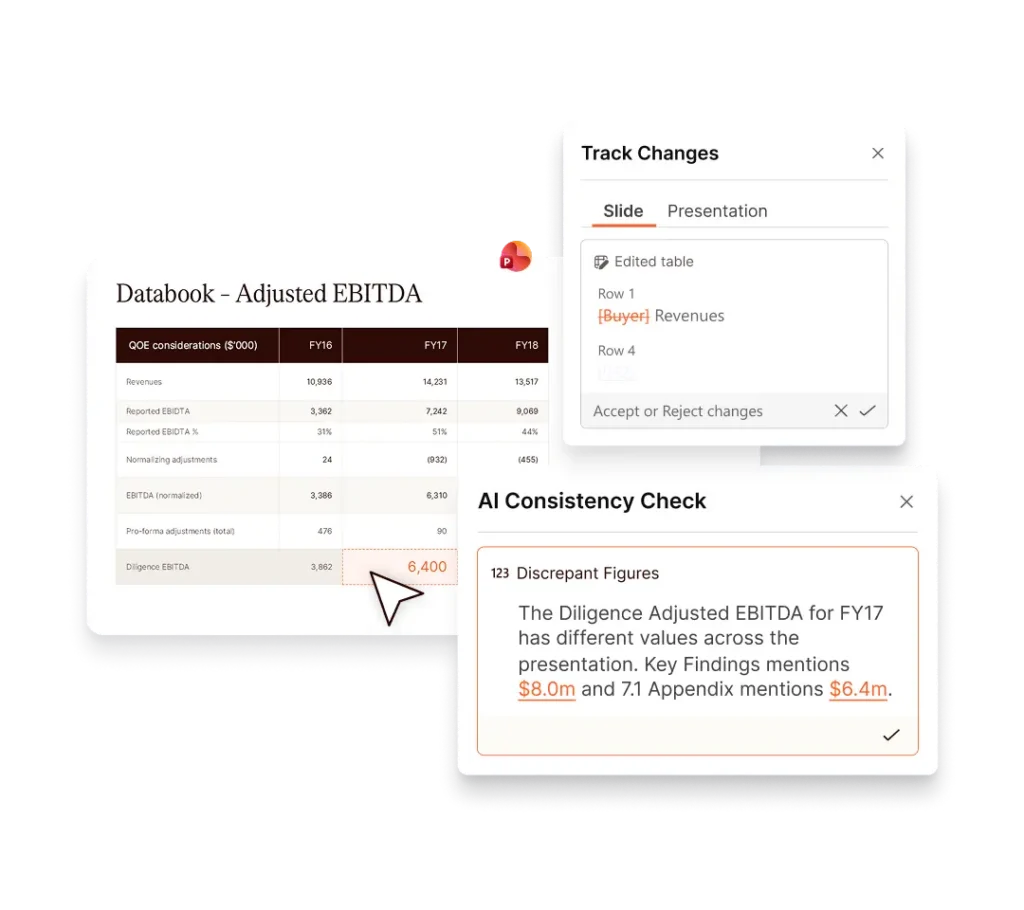
AI Consistency Check automatically reviews entire decks to detect miscalculations, contradictory commentary, and cross-slide inconsistencies across text, tables, charts, and visuals. In testing, it caught four times more errors than generic tools like ChatGPT or Copilot, twice as fast.
Beyond review, the AI Assistant lets teams shorten, translate, and refine presentation commentary directly from within PowerPoint using simple shortcuts. Admins can also configure custom pre-set prompts to make outputs more relevant to their specific workflows. And for teams that work with complex terminology, the AI Glossary instantly generates a formatted, alphabetically-ordered glossary slide by identifying and contextualizing abbreviations across the deck.
UpSlide links your financial data, including tables, charts and text, directly to your slides and documents. When the source updates, all linked figures update automatically and consistently in one click. Our AI checker also flags any miscalculations, inconsistent figures, or off-brand elements before you send.
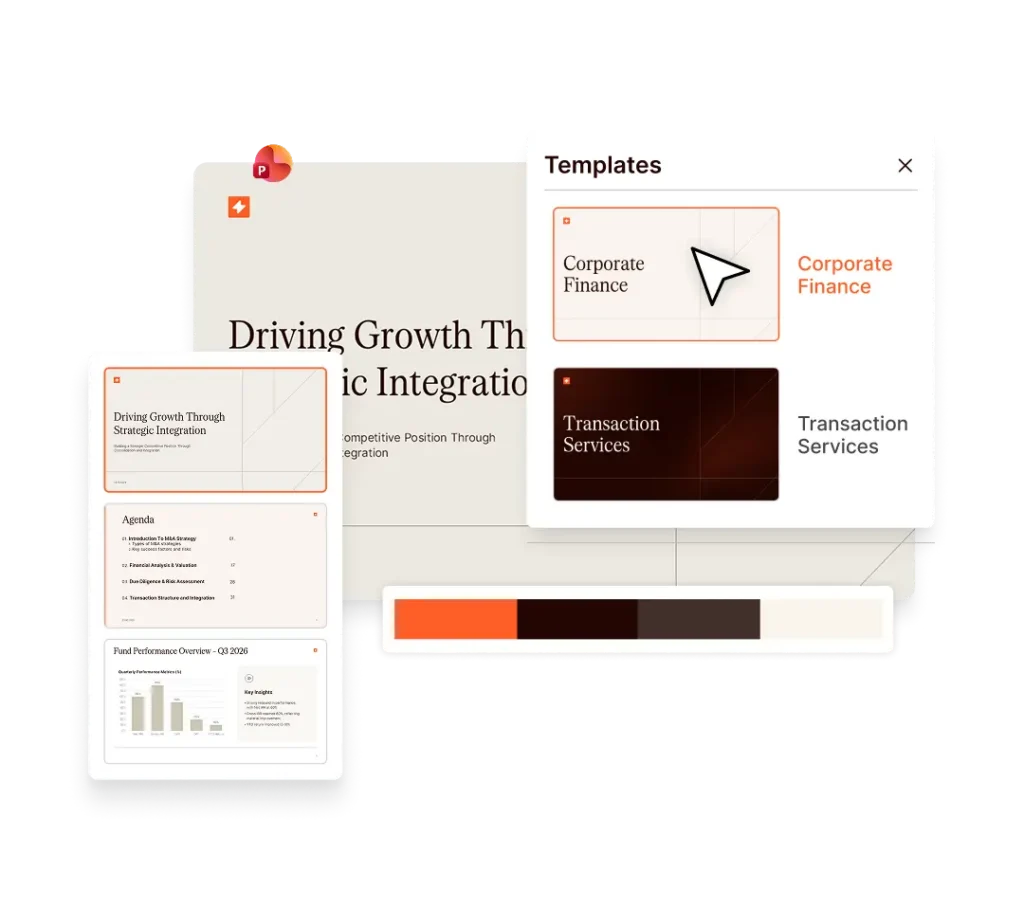
Yes. UpSlide lets you build reusable, on-brand slide and document libraries that your team can assemble into full pitch books in minutes. Pre-built templates and one-click formatting mean your teams spend their time on analysis and delivering business value – not reformatting the same slide for the fifth time.
Absolutely. Administrators can lock fonts, colors, and sensitive slides so every document that leaves your firm is consistent – regardless of who created it. Users can also apply branding and formatting in one click, so they easily work within approved parameters.
Our user interface prioritizes simplicity, seamlessly fitting into your existing workflows. Access features through a user-friendly ribbon integrated into Microsoft 365 apps and benefit from customized training, in-app prompts, and tutorials to get the most out of UpSlide from day one.
Security is foundational to everything we build. UpSlide is SOC 2 Type II certified, ISO 27001 compliant, and built to meet the stringent requirements of global financial institutions. Your data is encrypted in transit and at rest, and we never use client data to train AI models. We can also support private cloud or on-premise deployments for firms with additional requirements.
UpSlide supports GDPR, SOC 2 Type II, and ISO 27001, and is regularly assessed against financial-services specific requirements. Our compliance documentation is available to enterprise clients on request, and our security team is happy to complete your firm’s vendor questionnaires.
UpSlide can be installed on any machine equipped with Microsoft Windows 10 and 11 (x32 or x64), Microsoft Office 2016, Office 2019, Office 365 Current Channel.
Please note that UpSlide is a VSTO add-in and cannot be installed on a Mac.
UpSlide is priced per user, per year, with enterprise agreements available for larger teams. Our prices depend on the number of licenses you require, the options you want and your setup model. If you want to know how much UpSlide would cost for you, please get in touch with us and our team will be happy to give you a personalized quotation.
UpSlide has a minimum license requirement of five. We believe this is the minimum necessary to see how the value of consistent branding, data linking, and AI-driven workflows compounds. Whether you’re a team of 10 or 50,000, we will support and advice on your challenges to ensure you get the most of out of the solution. Reach out and we’ll be honest about whether UpSlide is the right fit.
AI Alone Won’t Build Your Pitch. Here’s What Will.