
















Use Cases
Ensure every high-stakes deck is accurate, consistent, and client-ready.
Build and audit models, create charts instantly, and update linked data, faster.
Prevent off-brand deliverables before they’re created and verify before sharing.
Ensure teams create on-brand, high-quality content – in Microsoft 365.
Industries
Win more mandates with faster, flawless due diligence, valuations and more.
Execute deals faster, manage portfolios efficiently and showcase your brand.
Deliver investment-grade materials that win and retain investors.
Prepare, update and review pitchbooks and IMs faster with built-in AI.
Teams
Standardize and automate pitchbook, IMs, and investor material creation.
No more brand policing. Empower teams to create consistent, on-brand content.
Take the scramble out of reporting with automated data, modeling, and AI reviews.
Secure, scalable enterprise AI for finance with fast, seamless rollout.

Webinar: Transforming Due Diligence Review with AI
Discover how UpSlide AI can boost consistency and confidence, and cut review times in half.
Top features

Airtight Reviews for Every Deck
Stress-test numbers and narrative with AI-powered review for complex finance deliverables.
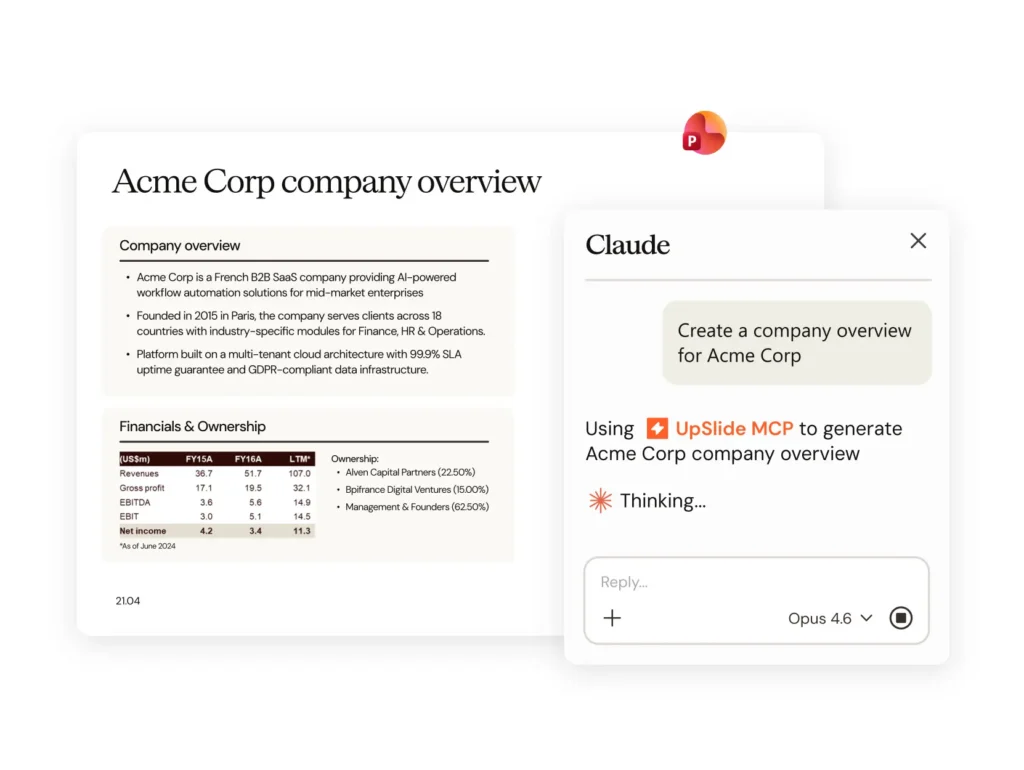
AI Alone Won’t Build Your Pitch. Here’s What Will.
The gap between an AI-generated draft and a client-ready pitchbook is bigger than you think. A document production layer is what closes it.
our company
There are 165+ UpSliders delivering excellent service to all our clients.
Get in touch and our team will be happy to answer all your questions.
Leading financial services firms trust UpSlide with their most sensitive workflows.
Helping our people and clients work more sustainably in a world reshaped by AI.

From A to B Corp: UpSlide’s Mission for Positive Impact
Discover how we achieved our B Corp Certification.
Advanced Excel Charts
Create on-brand Marimekkos, waterfall charts and CAGR arrows for your financial reports in seconds, so you can focus on analysis instead.
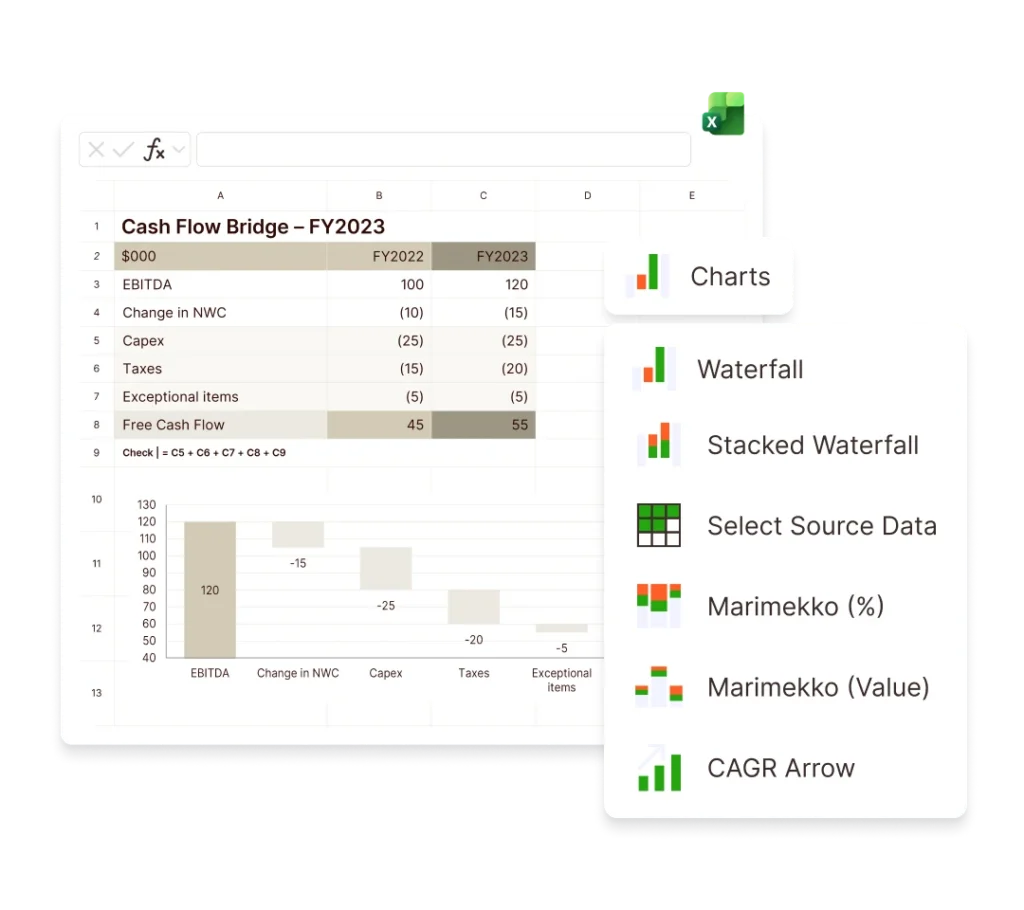
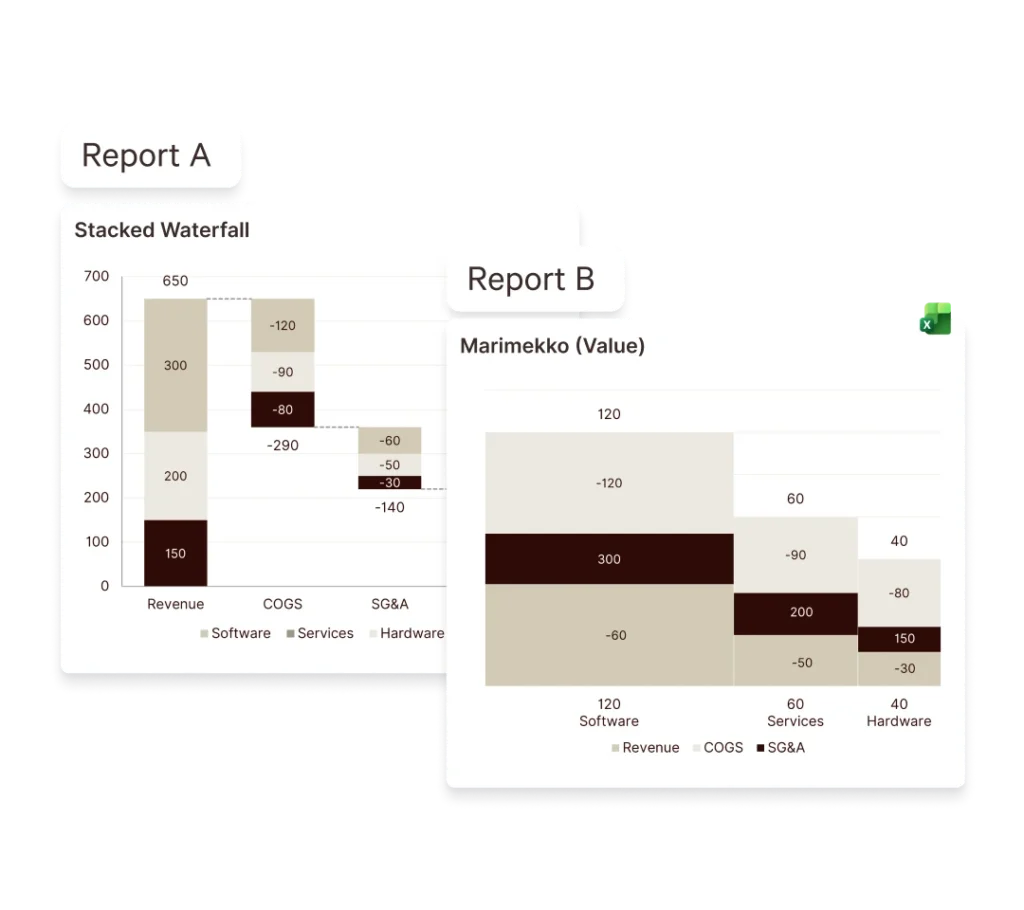
Create complex, on-brand CAGR arrows, stacked waterfall, Marimekko, and standard waterfall charts in Excel with only a few clicks.
Cut down on rework by creating charts that meet your brand guidelines and standards, without manual formatting.
Reduce the risk of human error by refreshing charts with a single click whenever assumptions change.
Create complex financial analysis charts for pitchbooks, valuation analyses, and due diligence presentations.
Create advanced, accurate data visualizations for cash flow bridges, market share analyses, or variance reports instantly.
Use waterfall, stacked waterfall, and Marimekko chart automation to build advanced charts in seconds, or add CAGR arrows in one click.
Your Marimekko or waterfall charts are automatically populated in your company branding, with global formatting conventions embedded by default.
Eliminate fiddly, time-consuming formatting adjustments and ensure every chart in every presentation is consistent and on-brand.
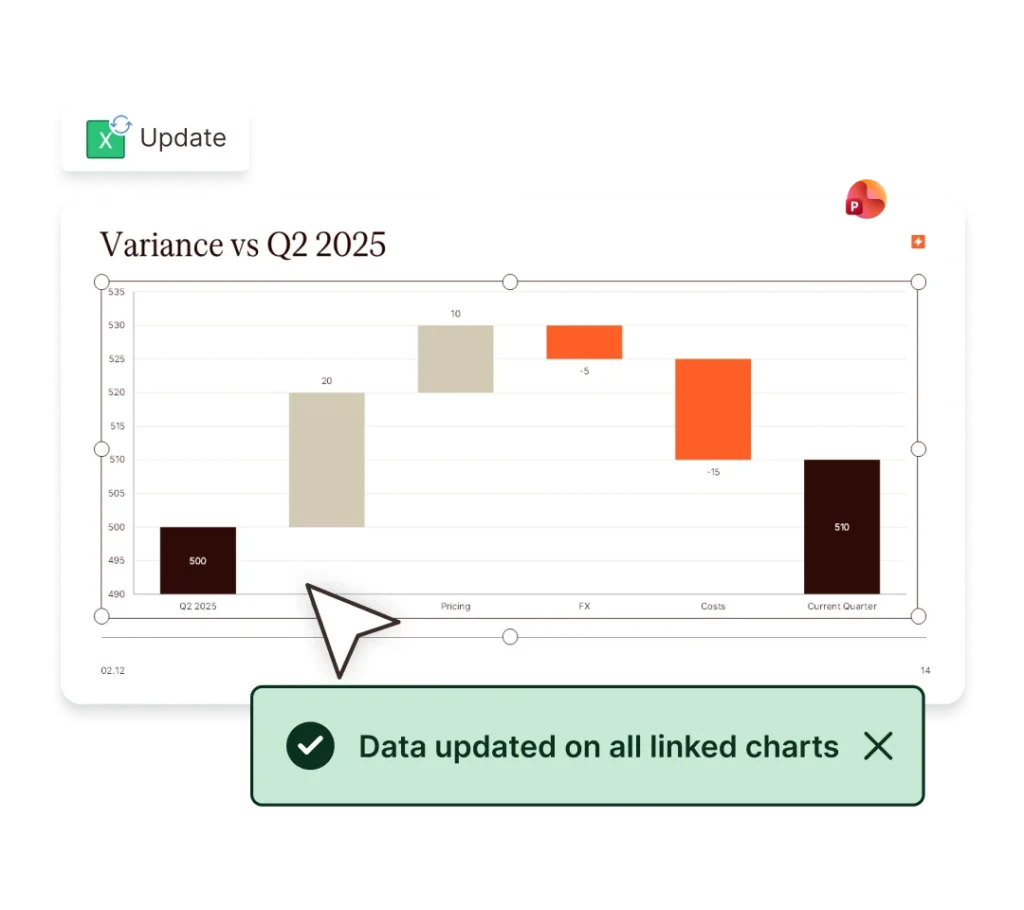
When your underlying data changes, refresh all your charts instantly.
That means no manual rebuilding, no copy-pasting new charts into slides, and no chance of outdated charts slipping into your documents. With Excel to PowerPoint Link you can update embedded charts in PowerPoint, saving precious time for analysis.
The time saved with UpSlide is immense, on average it’s in excess of six hours per report we create. Colliers creates and issues over 500 valuation reports nationally per quarter, so the value-add for our business is unbelievable.
Jennifer Bailey,
Operations Manager
Colliers Valuation & Advisory Services
UpSlide allows us to focus on the most important parts of our jobs. It runs seamlessly in the background and is intuitive to use.
The tool is so integrated into our processes now that you forget it’s even an add-in!
Aakash Kotak, Associate
Campbell Lutyens
UpSlide has enabled us to improve consistency, efficiency and quality across multiple levels within our firm.
We’ve had the tool for 8 years now and we’re still astounded by how much value our whole team continues to gain from it.
Brian Murphy, President and MD
Meridian Capital
Create finance report charts that show cumulative effects on cash flow, EBITDA, or debt figures.
Break down the impact of multiple drivers for more detailed financial analysis, including variance analysis.
Model two-dimensional data on market share, revenue, or portfolio composition for private equity portfolio charts or due diligence reports.
Instantly add CAGR arrows to show the compound annual growth rate between the first and last points of the chart.
Build, audit, and prepare robust Excel models faster with tools designed for structure, accuracy, and scale.
Apply consistent, firm-approved formatting across Excel and PowerPoint with one click, eliminating manual cleanup and inconsistencies.
Link Excel data to reports and update all figures in one click. Use the Excel Link Manager to filter and spot broken links easily.
Stress-test numbers and narrative with AI-powered review for complex finance deliverables. Right inside PowerPoint.
Turn complex timelines into polished, on-brand Gantt charts in minutes in PowerPoint. Save time, simplify updates, and always stay on brand.
Our advanced Excel chart tools enable you to create perfectly formatted stacked waterfall, Marimekko, bridge, and standard waterfall charts in Excel, as well as add CAGR arrows. Our clients often use UpSlide to create report charts or portfolio charts.
UpSlide is designed for teams that need more than fast chart creation. While some Excel charting tools focus primarily on building charts quickly, UpSlide helps organizations ensure brand compliance, consistent slide quality, and content standardization across teams.
It’s particularly well suited to firms that need client-ready outputs at scale, with strong governance around branding, formatting, and reusable content – not just chart mechanics.
We provide dedicated, personalized onboarding sessions for your team, including dedicated change management to drive maximum ROI. You can also find 24/7 guidance on our Help & Support page.
Yes. During implementation, our consultants will set up your firm’s colors, fonts, and styles for your waterfall or Marimekko chart automations.
UpSlide Excel Charts is used by analysts and associates in financial advisory, private equity, and investment banking, particularly to build and update charts regularly for financial analysis and presentations.
Yes. By removing the need for manual chart creation, UpSlide makes it easy to create charts with clear labels, consistent formatting, and complete, accurate data. With this support, it’s easy for any analyst, at any level of experience, to create a client-ready chart.
AI Alone Won’t Build Your Pitch. Here’s What Will.